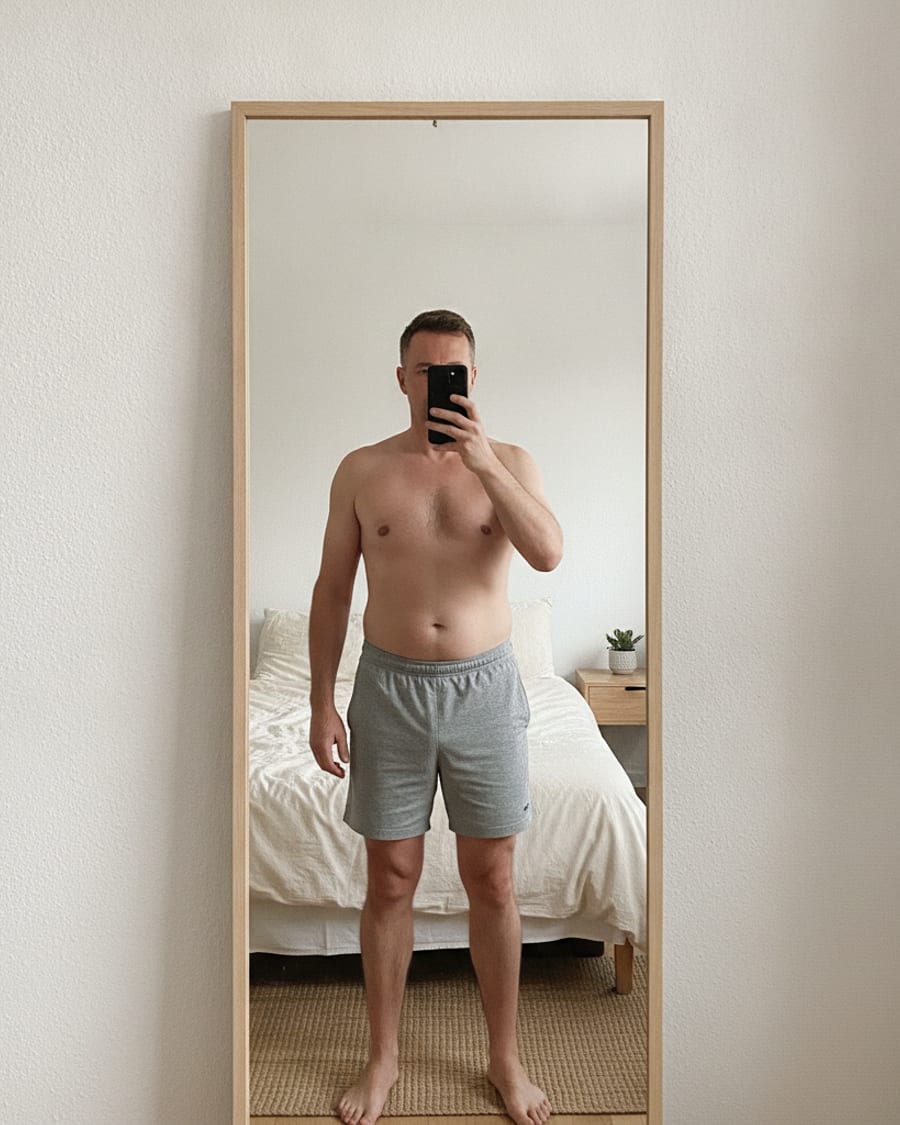
Calculate Body Fat % with AI
Upload a photo and see your body fat range in seconds — free. Unlock the exact percentage whenever you want it.
drop a photo here, or
For an accurate read, keep your midsection uncovered — shirtless, or a sports bra.
By uploading a photo, you agree to our Terms of Service. To learn more about how we handle your personal data, check our Privacy Policy.
How it works
No calipers, no tape measure, no appointment. One photo is enough to get a number you can track against.
- 01
Upload a clear photo
A full-body shot with even lighting and a neutral posture. Keep your midsection uncovered — shirtless, or a sports bra — so the waist is actually readable.
- 02
AI reads your visual cues
The model measures shoulder-to-waist proportions, fat distribution, and definition across the silhouette to place your estimate.
- 03
Get your estimate and track it
You get a percentage, a confidence range, and where you sit on the scale. Repeat monthly in the same conditions to see the trend.
What each body fat % means
Use these bands to interpret your estimate. Appearance varies by genetics, muscle, lighting, and pose.
What each body fat % looks like
Visual references for men. Use them as context for your estimate — not as a medical classification.
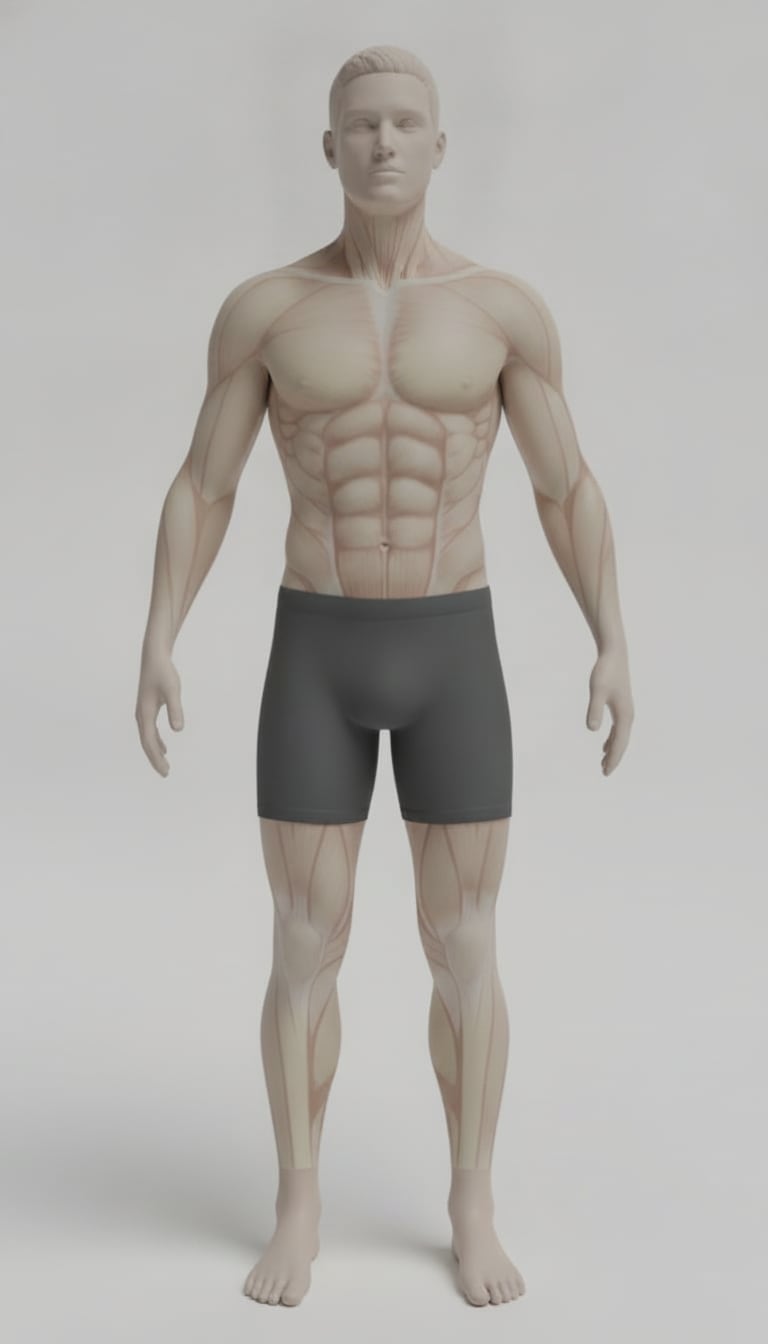
Essential (5%)
Extremely lean, competition-level look with pronounced definition.
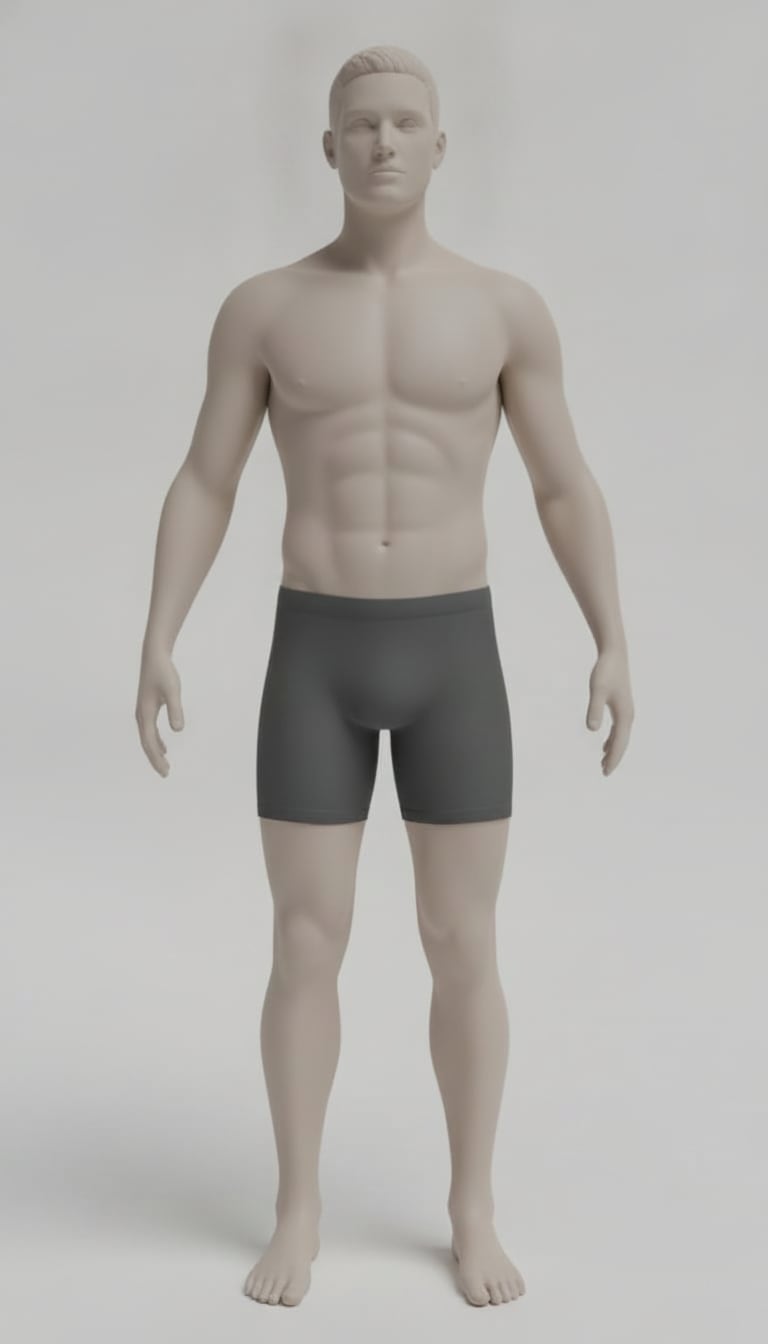
Athletic (10%)
Very lean appearance with visible abs and clear muscle separation.
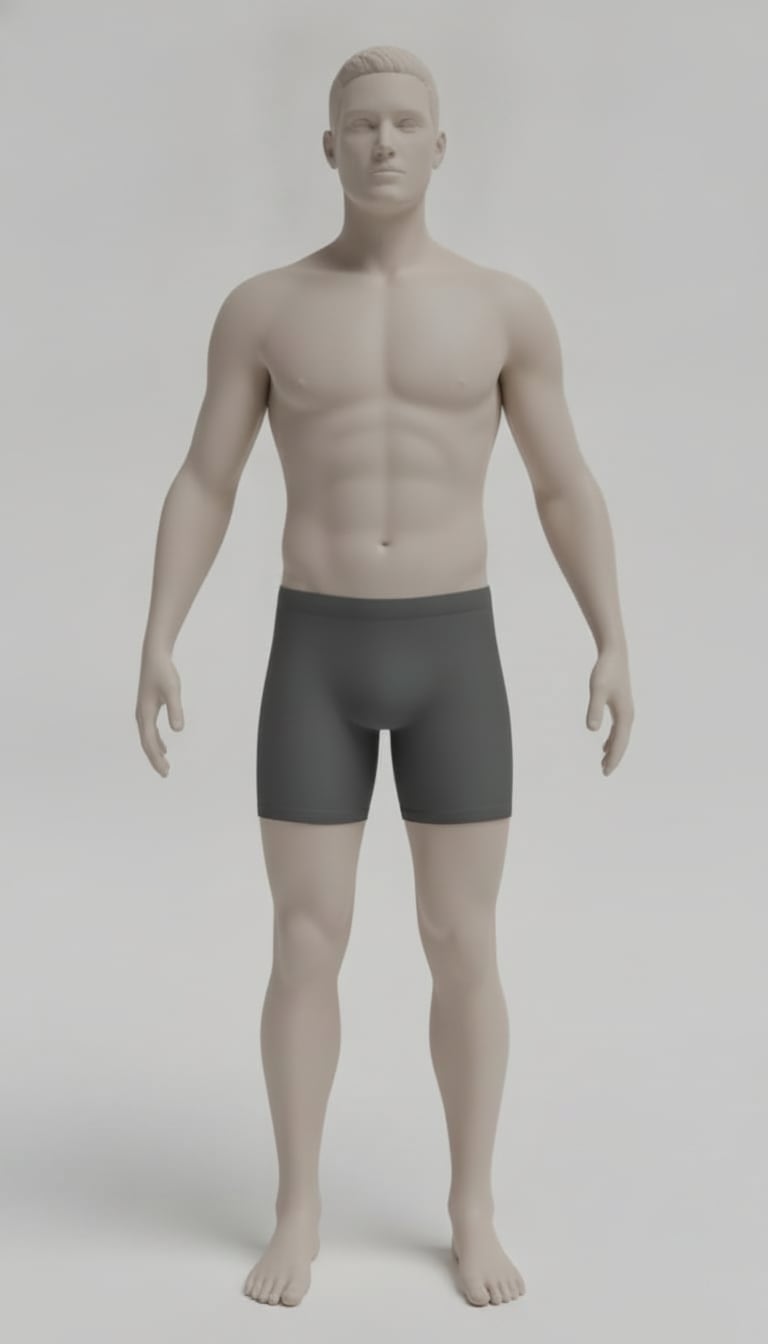
Fit (15%)
Lean athletic look with good waist definition and moderate ab visibility.
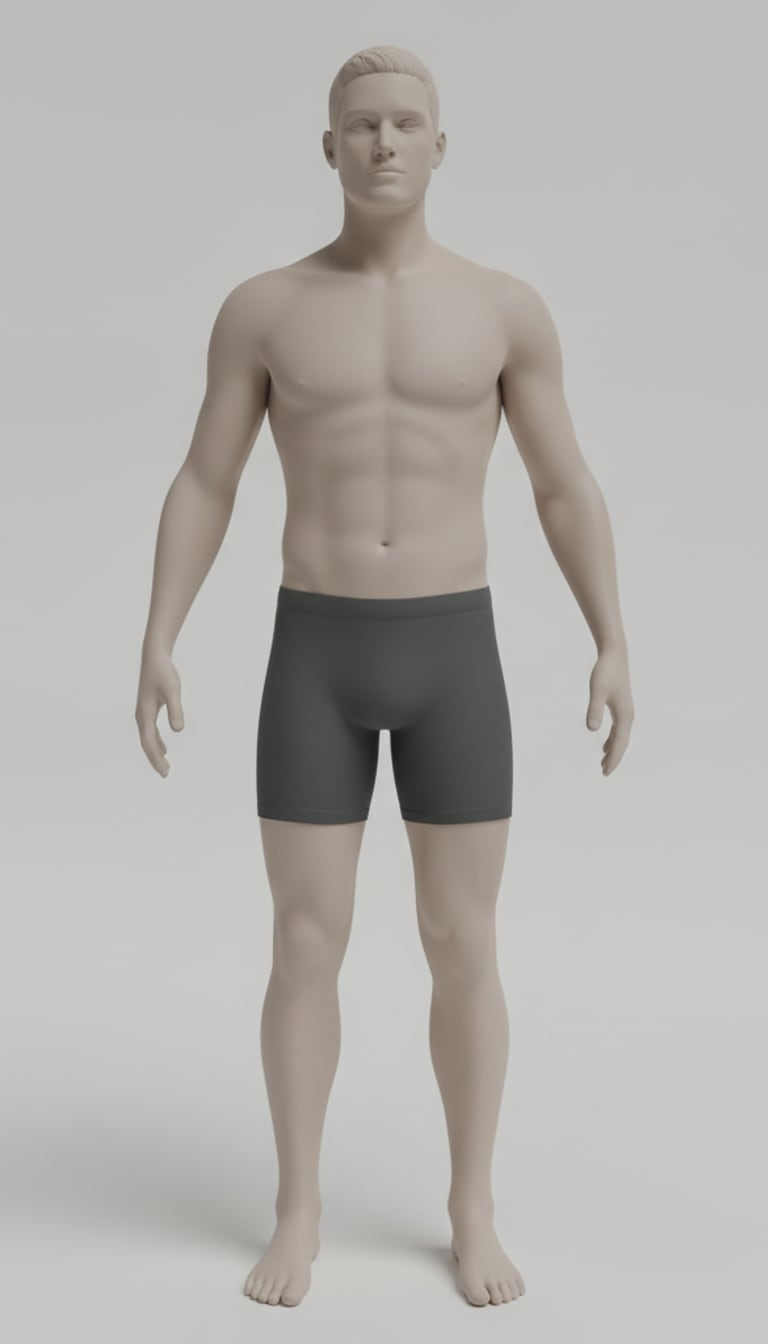
Average (20%)
Average-fit look with some softness at rest around the midsection.
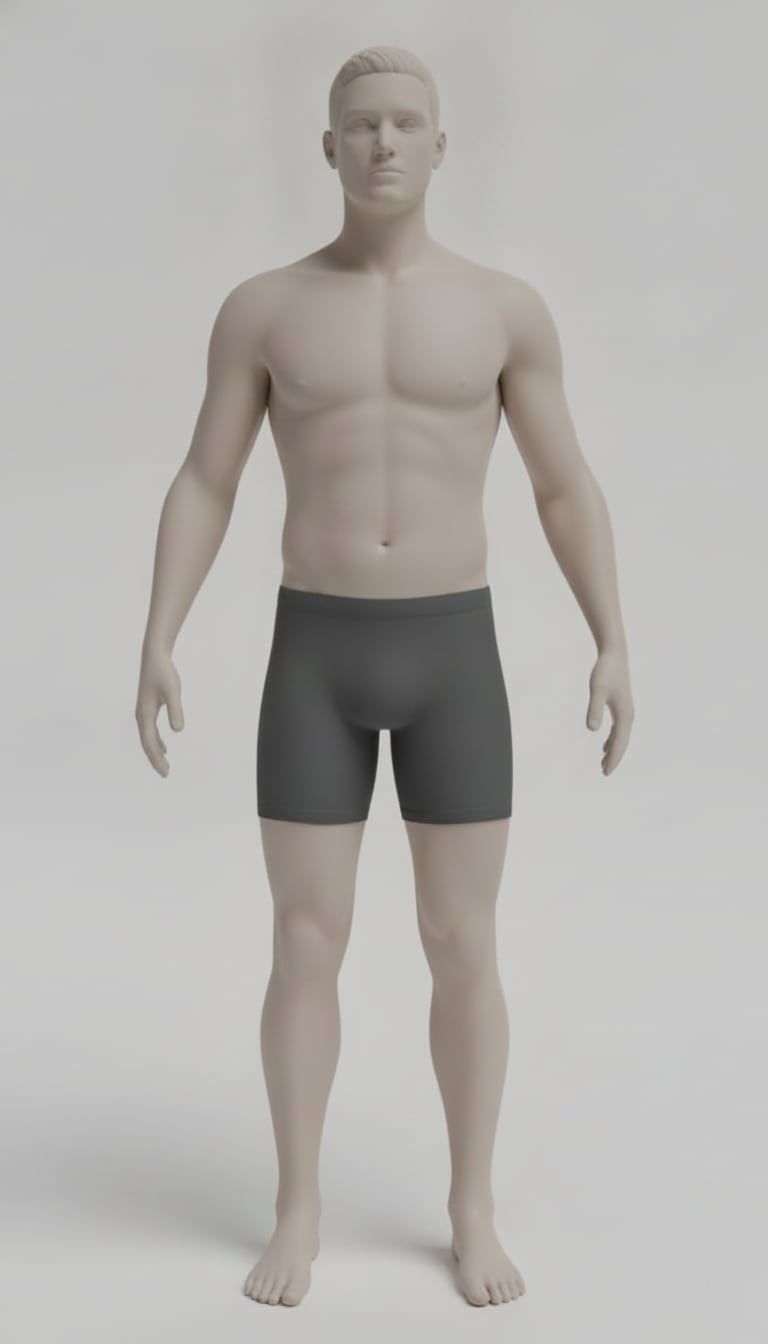
Above Average (25%)
Noticeable softness through waist; limited definition in most lighting.
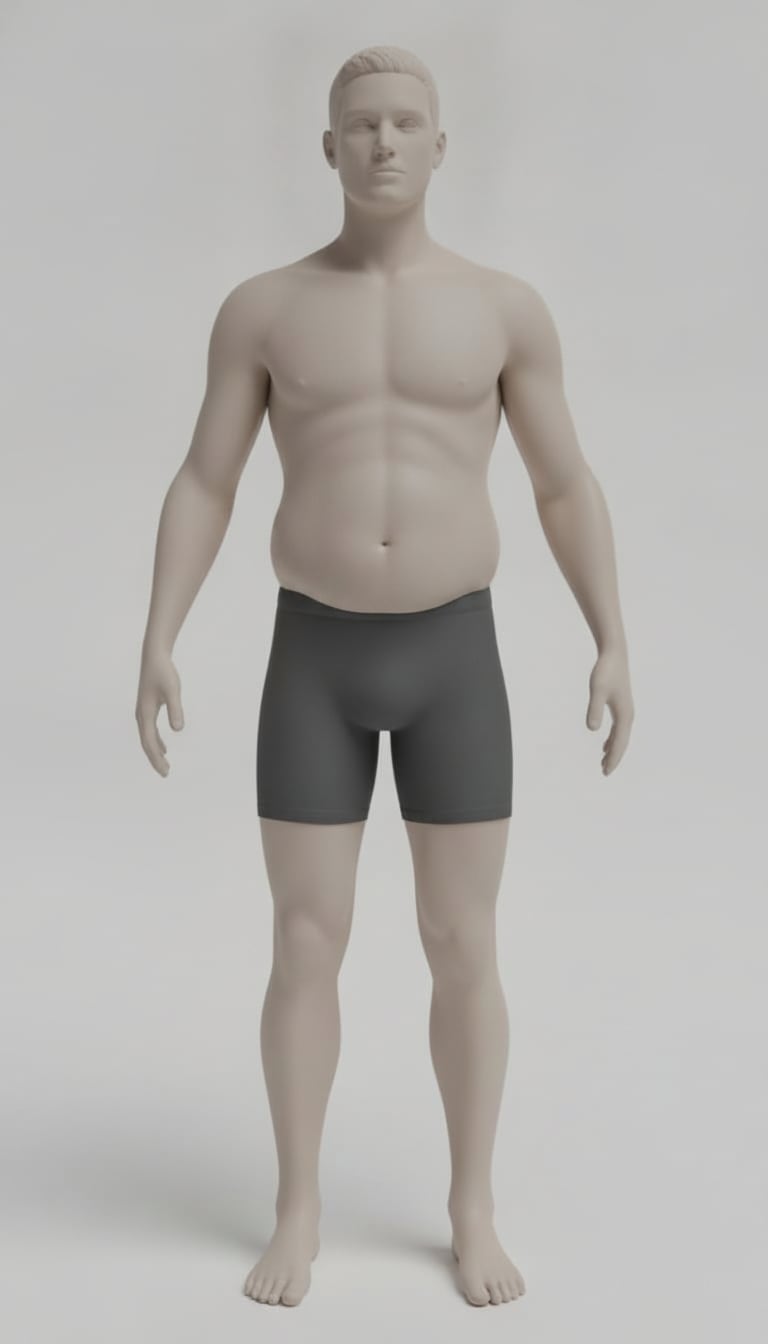
High (30%)
Higher body-fat appearance with visible abdominal softness.
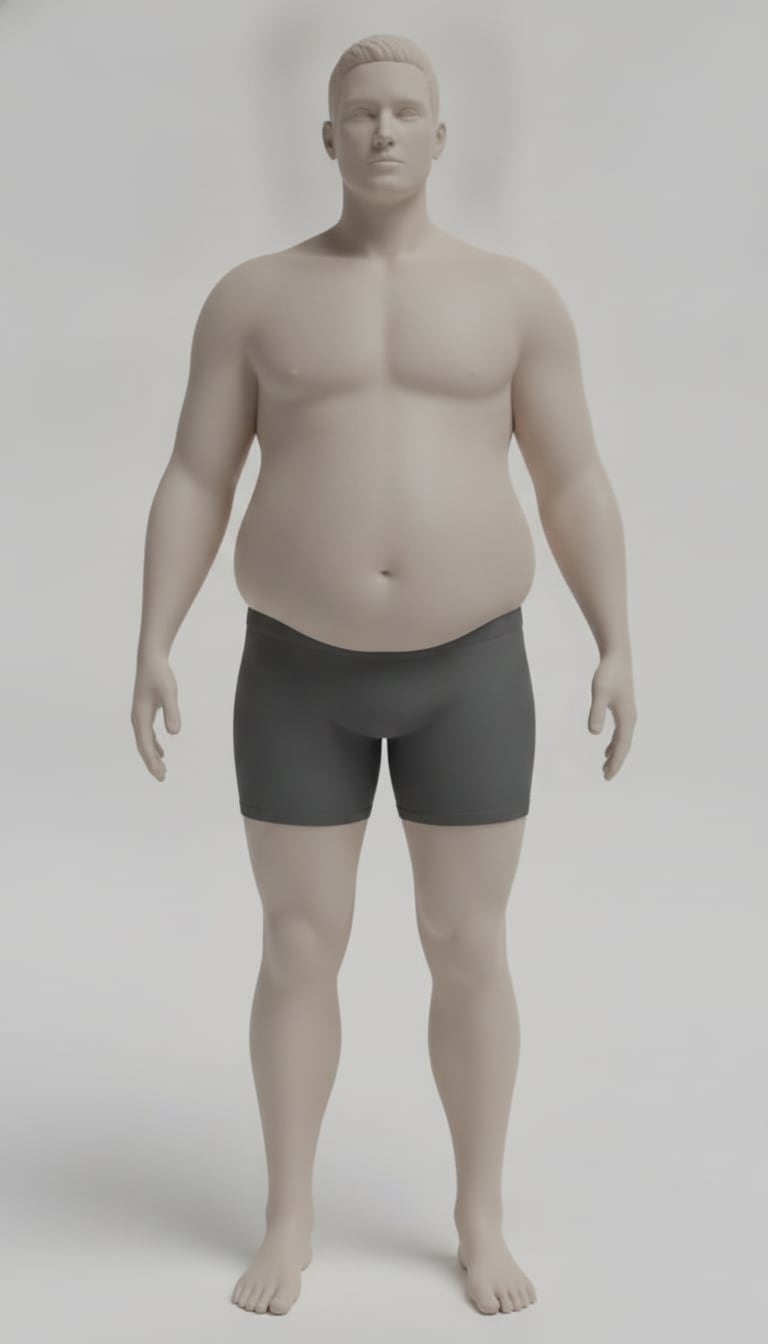
Very High (35%)
Substantial overall softness with less visible muscular structure.
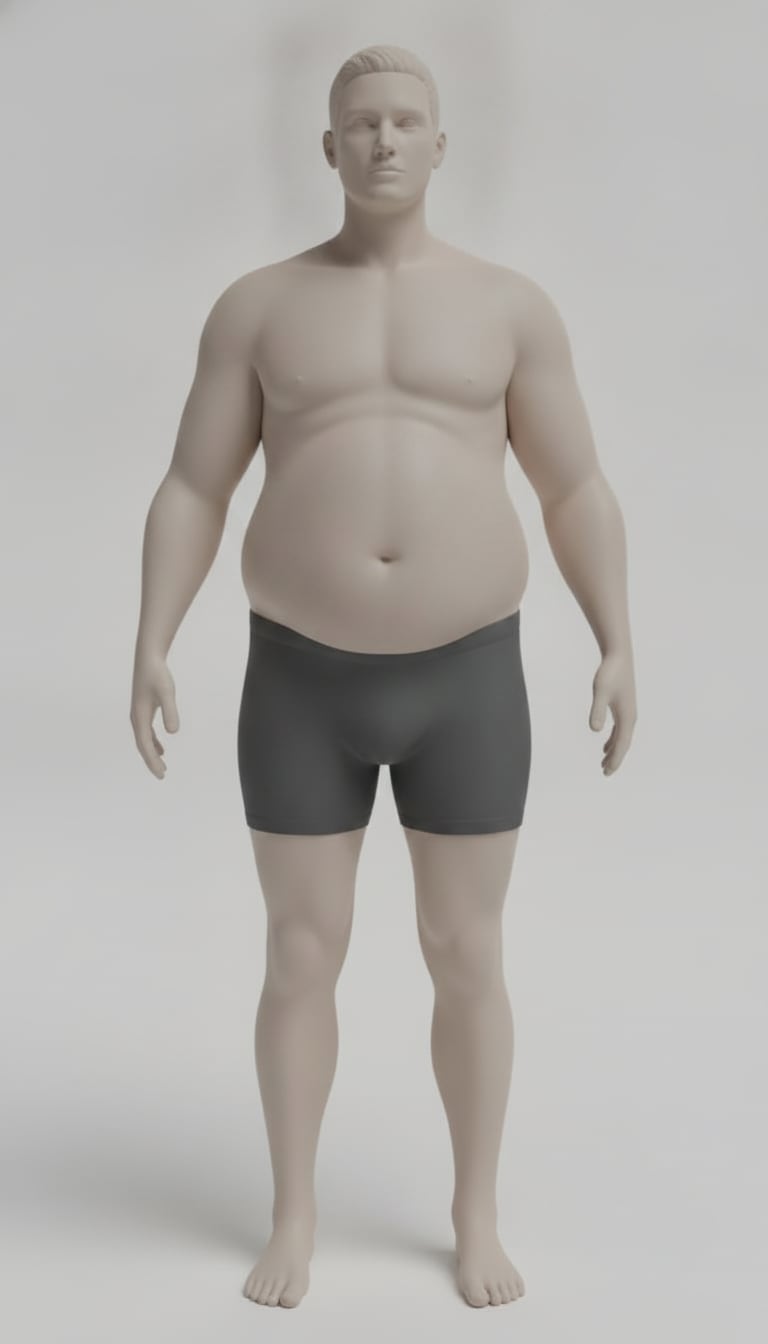
Very High (40%)
Very high body-fat presentation with fuller body contours.
How to improve accuracy
Treat this checklist like a repeatable photo protocol.
- ✓Midsection uncovered — shirtless for men, sports bra for women
- ✓Form-fitting shorts so hip and thigh shape is visible
- ✓Front, side, and back photos in neutral, even lighting
- ✓Relaxed stance with a non-flexed abdomen
- ✓Full body from head to ankles in consistent framing
- ✓Arms at your sides for waist-to-shoulder context
- ✓Avoid morning pump or immediate post-workout photos
Body Fat Calculator FAQ
Answers to common questions about our AI-powered body fat estimation tool.
How does the body fat calculator work?+−
Upload a clear full-body photo and the AI analyzes visual cues like shape, fat distribution, and proportions to estimate body fat percentage. This is a photo-based estimate, so photo quality, lighting, pose, and clothing affect results.
What data does Body Fat Estimator require?+−
The core input is a clear, recent full-body photo. Better results usually come from neutral posture, even lighting, and fitted clothing that does not hide body shape.
Can I use my smartphone to assess my body fat percentage?+−
Yes. Most users upload smartphone photos. Use good lighting, keep the camera level, and take the photo from a consistent distance each time.
How accurate is the body fat calculator?+−
It is designed to be directionally accurate, especially for tracking changes over time. It is not a medical test like DEXA, so use it as a trend tool rather than an exact clinical measurement.
How can I improve the accuracy of my results?+−
Use front, side, and back photos in neutral even lighting; include a relaxed stance; stand far enough for head-to-ankle framing; wear form-fitting shorts; keep arms at your sides; and avoid immediate post-workout photos.
How quickly can I get my results?+−
Most results are returned in seconds. Very large images or slow connections can take a little longer.
Can I track my progress over time?+−
Yes. That is one of the best use cases. Take photos under similar conditions every one to two weeks and compare trend direction instead of focusing on one single estimate.
How does lighting affect the analysis results?+−
Lighting has a major impact. Harsh shadows or low light can hide or exaggerate visual definition, which can shift the estimate. Even, front-facing light works best.
What should I wear for the best results?+−
Wear fitted clothing that allows clear body-shape visibility, such as athletic wear. Avoid baggy outfits, heavy layers, and poses that distort posture.
How often should I use the calculator?+−
Every one to two weeks is usually enough for meaningful trend tracking. Daily checks often add noise without useful signal.
What are the limitations of the body fat calculator?+−
It is appearance-based, not a diagnostic tool. Results can vary with lighting, pose, camera angle, and clothing, so it is best for trend tracking rather than medical decision-making.
Is there a cost associated with using this tool?+−
Uploading a photo and seeing which body fat range you fall into is free. Revealing your exact percentage, your likely range, and your next milestone is a one-time purchase, starting at $6 for 10 estimates.
Are there any privacy concerns?+−
Privacy matters. Photos are processed to generate your estimate and are not sold. We aim to minimize retention and protect user data.
Do I need an account?+−
No. You can upload a photo and see your range without signing in. If you buy estimates, your purchase is tied to the email you pay with, and an email magic link signs you in on any device.
Free measurement tools
Cross-check photo estimates with classic formulas when you want another signal.
From the blog
View all →Aug 13, 2026
Body Fat Weight Calculator: Turn Percentages Into Real Pounds
A body fat weight calculator converts your percentage into pounds of fat and lean mass, then works backward to a realistic goal weight. Worked math included.
Aug 13, 2026
Fat Mass Calculator: Tracking FMI, FFMI, and Real Progress
A fat mass calculator tracks pounds of fat and lean mass plus FMI and FFMI, revealing recomposition progress that body fat percentage alone tends to hide.
Aug 12, 2026
Army BF Calculator: AR 600-9 Standards, Tables, and Tape Test
An army bf calculator follows AR 600-9: the single-site tape test, age-banded body fat tables, ABCP consequences, and how Army rules differ from the Navy.